Affordable RV park software for small parks
A park with 10 to 60 sites doesn't need an enterprise system. It needs one calendar the whole staff trusts, a way for guests to book at eleven at night without a phone call, and a bill that stays small in the months the park is quiet.
What a small park actually needs
If your park runs on a paper book, a whiteboard or a spreadsheet, the problems are familiar: two people promise the same site over the phone, a deposit lives on a sticky note, and every booking request that arrives after the office closes waits until morning — or goes to the park down the road. Before you compare software, be clear about the few things that fix those problems. Everything else is a bonus.
One calendar for every site
Lime's reservation grid shows every site and every night on one screen, color-coded by status. Drag a booking to move it to another site, or stretch it to add a night. Online bookings, phone bookings and walk-ups all land on the same grid, so there is one answer to “is site 12 free on Friday?” See the reservation calendar and booking grid.
Online booking that can't double-book
Guests pick their dates, compare sites with your photos and rates, and pay by card. A site is held the moment it lands in a guest's cart, for as long as you choose, and released automatically if they walk away — so two guests can't buy the same night and nobody has to referee it. Here is how an online campground reservation system handles a booking from search to confirmation.
Rates that match how you charge
Nightly, weekly, monthly and seasonal rates, each with its own dates, plus minimum and maximum stays. If some of your sites go to monthly or seasonal guests, they are priced in the same system as your overnighters.
Getting paid without chasing anyone
Guests pay a deposit or the whole stay online through Square, into your park's own Square account. At the desk you take cards, or record cash and checks against the reservation, and refunds come off the same folio. More on campground payment processing with Square.
Rules for rigs
Set the longest RV each site takes, slide-out allowances and the equipment types you don't accept, and keep each guest's rig details with their booking.
Something you can run from anywhere in the park
Lime runs in a web browser, so there is no server in the office and nothing to install, and the admin adapts to a phone or tablet screen as well as a desktop.
Everything is included, so you can grow into it
Small parks often start with the calendar and online booking. The rest is already there when you want it, on the same plan and the same bill.
A camp store register
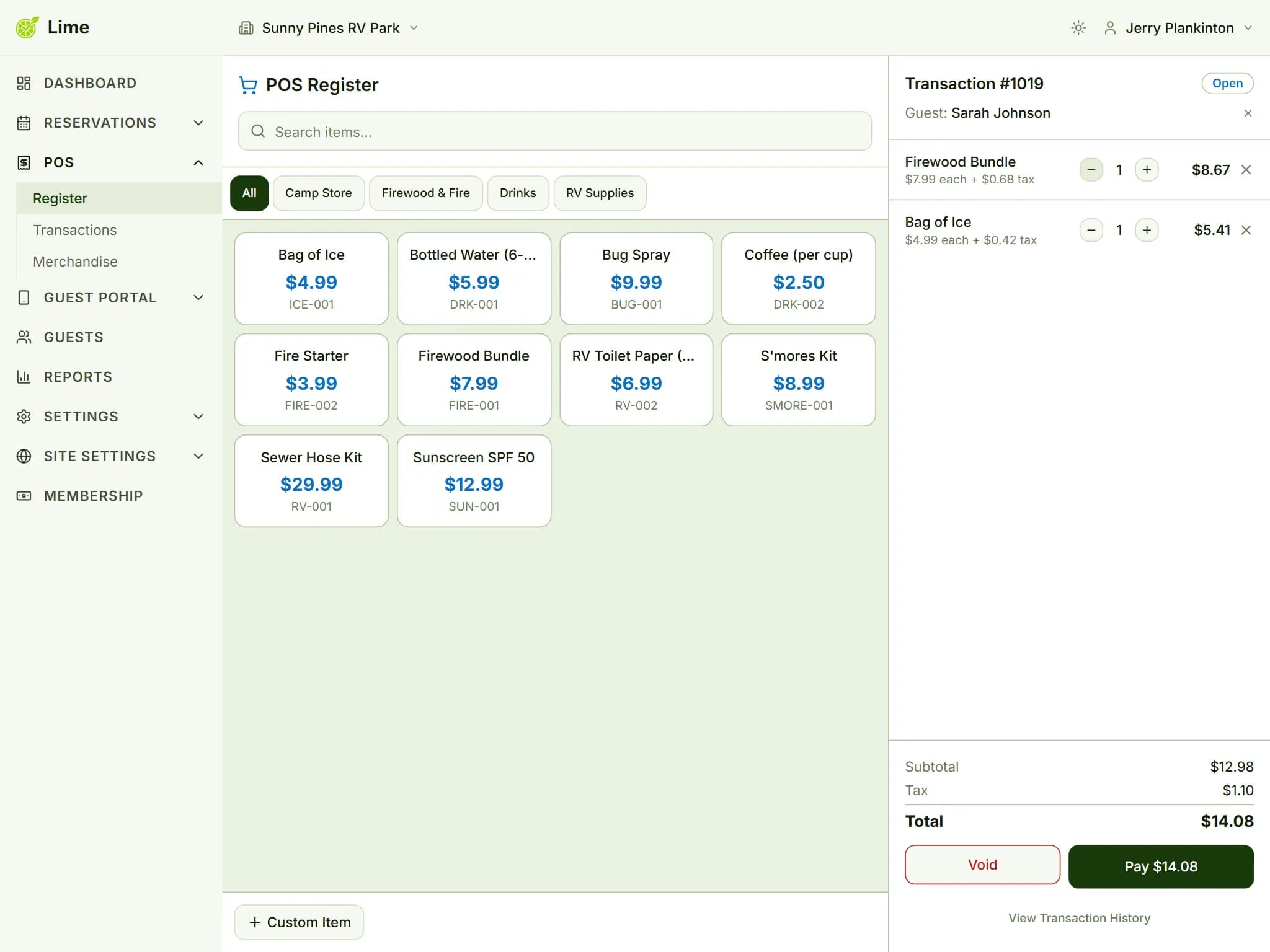
Sell firewood, ice and propane accessories with inventory counts and low-stock alerts, and link a sale to a guest.
Housekeeping and maintenance
Cleaning tasks with checklists, and maintenance tickets for the water heater in the bathhouse.
Reports and accounting
Occupancy, revenue and payment reports that export to CSV, and built-in double-entry accounting if you want it.
Why per-reservation pricing suits a 10–60 site park
Park software is commonly priced one of three ways: a flat monthly subscription, a fee for every site you have, or tiers where online booking or the camp store sits in a pricier plan. All three charge the same in February as in July. A small park's income doesn't work like that.
Lime charges $19 a month plus $1 for each reservation created — every feature, unlimited sites, unlimited staff. A few details matter when you budget:
- The fee is per reservation, not per night or per site. A guest who books a week, or a whole season, as one reservation is one fee.
- Cancelled reservations are not charged.
- A reservation counts whether a guest booked it online or your staff entered it at the desk.
- Card processing is separate. Square charges its own fees on card payments into your Square account; Lime adds nothing on top.
A worked example: a 40-site park
This is an illustration, not a promise. Picture a 40-site park that makes about 20 reservations in a quiet month, 70 in a steady one and 160 in its busiest:
| Month | Reservations made | Lime bill |
|---|---|---|
| Quiet month | 20 | $39 |
| Steady month | 70 | $89 |
| Busy month | 160 | $179 |
Over a year of 5 quiet, 4 steady and 3 busy months that comes to $1,088 — about $90.67 a month, or $2.27 per site per month. The fee follows the month a reservation is made, not the month of the stay, so if your summer fills up in March, March is the bigger bill.
When a flat fee would cost less
Per-reservation pricing is not the cheapest choice for every park. A park that makes hundreds of short-stay reservations every month — an overnight stop beside a highway, say — pays more as its volume grows, and a flat price may win. The check takes ten seconds: take a flat monthly quote, subtract $19, and divide what's left by the $1 reservation fee. That is how many reservations a month you could make before Lime cost the same. Our guide to what RV park management software costs walks through the comparison, including the costs that never appear on a price sheet.
Starting without a big switchover
Nobody wants to change systems in the middle of a season, and you don't have to do it all at once:
- 1Start a 60-day free trial. There's no credit card to enter, and you choose whether your park starts pre-loaded with sample sites, rates and settings to explore, or empty and ready for your own.
- 2Follow the built-in tutorial. It walks you through adding your sites and rates, taking a first reservation, connecting Square and choosing how guests will book.
- 3Enter the bookings you already have. Lime doesn't import from a spreadsheet, so set aside time to type in your upcoming reservations; the calendar fills as you go.
- 4Choose where guests book. With no website, use the hosted booking portal at your own branded address; if your site runs on WordPress, use the WordPress booking plugin instead. Your park runs one or the other, at the same price.
- 5Connect your Square account when you're ready to take card payments online.
Still comparing? Take our checklist for choosing RV park reservation software into every demo you sit through, ours included.
Questions small park owners ask
Is Lime too much software for a park with 15 sites?
No. Every feature is included, but nothing makes you use them all. A small park can start with just the calendar, online booking and payments; the camp store register, housekeeping and accounting are there when you want them, at no extra cost.
What does a month with no reservations cost?
Just the base fee of $19. The $1 fee applies only to reservations created that month, and cancelled reservations are not counted.
Is there a limit on sites or staff accounts?
No. Sites and staff accounts are unlimited on the one plan, and the base fee is the same whether your park has 10 sites or 60.
We don't have a website. Can guests still book online?
Yes. The hosted booking portal is a complete booking site at your own branded address, so you can put the link on your Facebook page, your Google listing or your voicemail greeting and start taking bookings without building a website.
Are card processing fees included in the price?
No. Card payments run through your park's own Square account, and Square charges its processing fees there. Lime's invoice is the base fee plus the reservation fee, and Lime adds no fee of its own to what your guests pay.
Try it on your own park
Start your free 60-day trial and set up your sites tonight. No credit card required.