Online campground reservation system
Campers book the way they shop for everything else: on a phone, late in the evening, ready to pay. Your reservation system has to take that booking without your help — and without ever selling the same site twice.
What happens when a camper books online
Whichever booking front-end your park runs, a guest's booking goes through the same five steps, and the only person involved is the guest:
- 1They enter their dates and see which of your sites are free for them — RV sites, cabins, tent sites, whatever you rent.
- 2They compare sites by your photos, amenities and rates, and open one for its availability calendar and a real quote: nightly rate, fees and taxes, priced by your own settings.
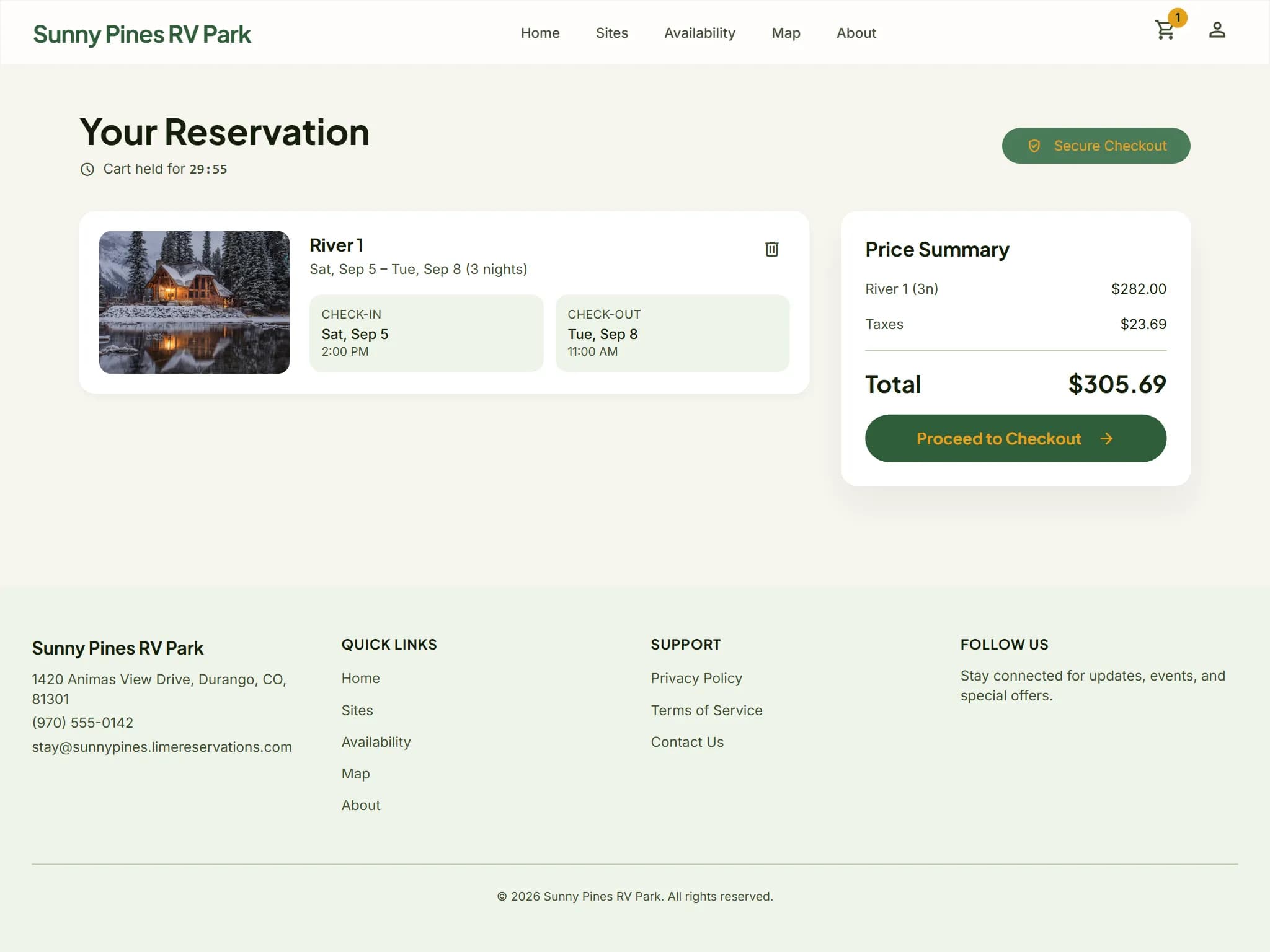
- 3They add it to their cart. The site is held for them, with a countdown, for the number of minutes you set; if they walk away, the hold expires and the site goes back on sale.
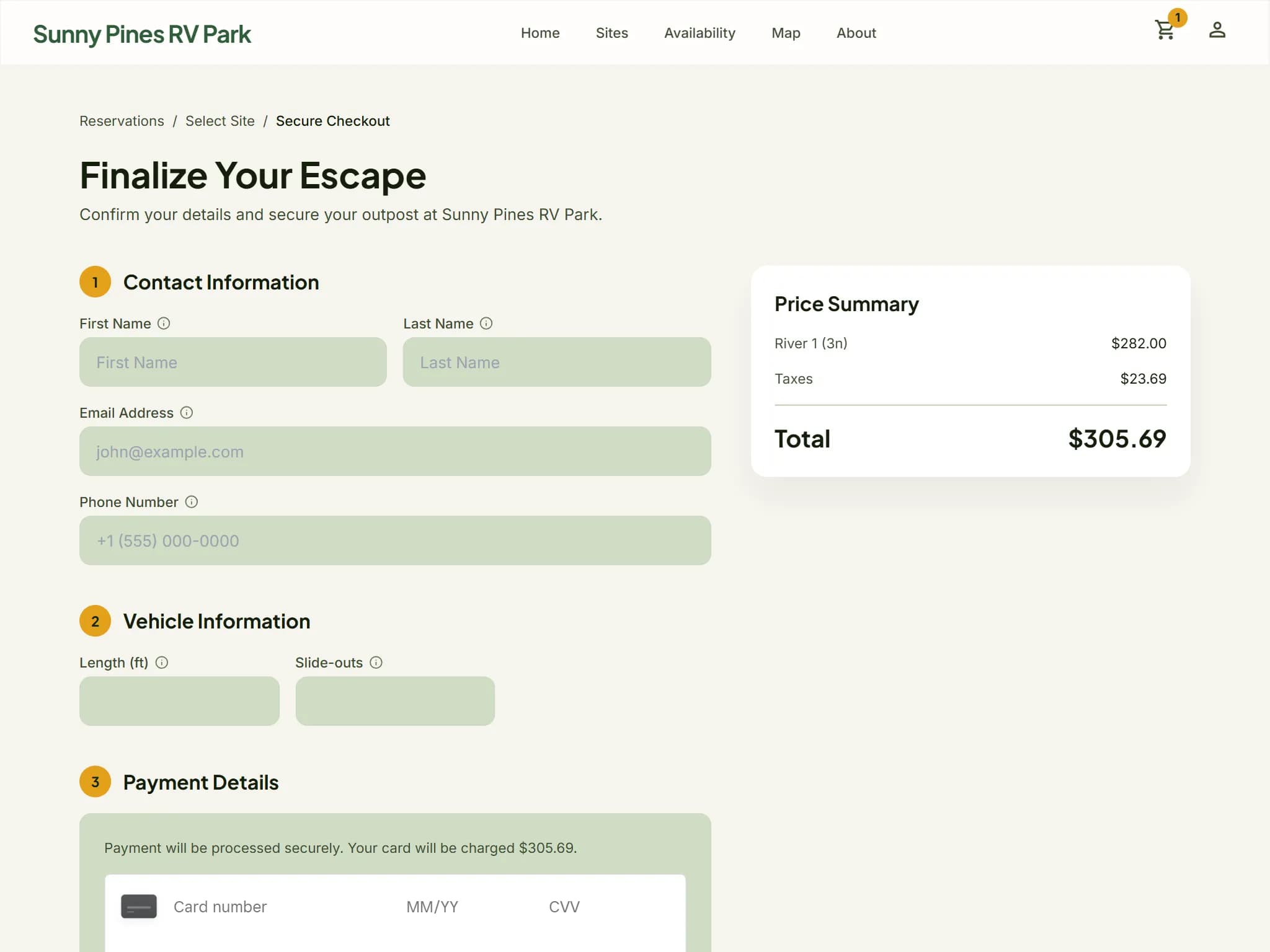
- 4They check out: contact and vehicle details, your cancellation policy in plain words, and card payment through Square — a deposit or the whole stay, depending on your rules.
- 5They see a confirmation with their order number, and the booking is already on your reservation grid.
Holds that stop double bookings
The moment a site goes into a guest's cart it is theirs for a set time. Nobody else can book those nights while they finish, and nobody on your staff has to release it if they don't.
A hold length you choose
Set how many minutes a cart hold lasts. Guests see the countdown, so the deadline is never a surprise at payment.
Released automatically
An expired hold puts the site straight back on sale for the next camper.
One inventory
Online carts, phone bookings and walk-ups all draw on the same availability, so the website never sells a site your desk already has.
Checkout on your terms
What a guest pays online, and what happens if they cancel, follow rules you set once in your Lime admin.
Deposits
A percentage or a fixed amount, limited to certain arrival dates or to bookings made far enough ahead if you like. Your desk collects the balance.
A cancellation policy guests read first
Refund tiers by days before arrival, per type of site. The wording guests see is written from your tiers, so it always matches what you refund.
Card payment through Square
Payments land in your own Square account. Card numbers are typed into Square's own fields, never into your site.
Getting a campground ready for online booking
The software is the easy part. What makes online booking work is a handful of decisions you make once, before the first guest sees it.
Decide your rules before your guests do
Your hold length, deposit rules, minimum stays and cancellation tiers are what a guest meets at checkout, so settle them first. You might take a deposit on bookings made weeks ahead and the full amount for last-minute stays, for example: that is one deposit rule with a minimum number of days before arrival.
Describe every site properly
Guests choose from what they can see. Give each site its photos, its amenities, the longest RV it takes and any equipment you don't accept, so the booking a guest makes is one you are happy to honor.
Draw your park map
Draw your park in the map editor under Settings → Maps and guests can pick a site from the map itself, with each site colored by availability for their dates — on the hosted portal, or on WordPress with the plugin's map shortcode.
Know what each front-end needs
- Online card payment runs through Square, so connect your park's Square account in Lime. Lime's Square settings have a sandbox mode for a test booking before you go live.
- The hosted booking portal needs nothing else: it is a complete booking site at your own branded address.
- The WordPress booking plugin needs WordPress 6.2 or newer and PHP 8.1 or newer, plus a cart, a checkout and a confirmation page on your site. Booking on it needs JavaScript in the guest's browser; browsing, prices and availability do not.
If your site is already on WordPress, our guide to taking online campground reservations on your WordPress site compares the ways to do it. If you're still weighing systems, start with the checklist for choosing RV park reservation software.
One system. Two ways to take bookings.
Every park gets a guest-facing booking front-end. Pick the one that fits the website you already have — your park runs one or the other, so a guest is never handed between two versions of the same booking.
The hosted booking portal
We host your booking site at your own branded address. Nothing to install, nothing to maintain — set your colors and fonts and it looks like your park.
Best if you don't have a website, or you'd rather point the one you have at a booking page we keep running.
See the guest portalThe WordPress plugin
Your booking pages render inside your existing theme, on your own domain. Search engines index your sites as your pages, and guests never see a second brand.
Best if your park's site is already on WordPress and you want every visitor to stay on it, start to finish.
See the WordPress pluginBoth are included in the same plan, at the same price. You choose in your Lime admin under Guest Portal → Settings, and you can change your mind later — moving to WordPress just needs Square set up to take payment and your site's address on file.
Campground reservation questions
Can guests book cabins and tent sites, not just RV sites?
Yes. You set up each kind of site you rent — RV sites, cabins, tent sites or yurts — with its own photos, amenities, rates and rules, and guests book them all the same way.
How long is a site held while a guest checks out?
As long as you decide. The hold length is one of your property settings. The guest sees the countdown in their cart, and when a hold runs out the site goes straight back on sale.
Can I take a deposit online instead of the full amount?
Yes. A deposit rule takes a percentage or a fixed amount, and can apply only to certain arrival dates or to bookings made far enough ahead. Where no rule applies, the guest pays for the whole stay.
Will an online booking show up for my front desk?
Straight away. Online and front-desk bookings share one inventory and one reservation grid, so your staff see the booking as soon as the guest has paid.
Can we run the hosted portal and the WordPress plugin at the same time?
No. A park takes its online bookings on one front-end, the hosted portal or the WordPress plugin, so guests have one place to book and search engines one set of pages. You choose in your Lime admin under Guest Portal → Settings and can switch later; moving to WordPress needs Square set up and your site's address on file.
Start taking bookings online
Try Lime Reservations free for 60 days and take your first online booking. No credit card required.